MainStage 3
Description
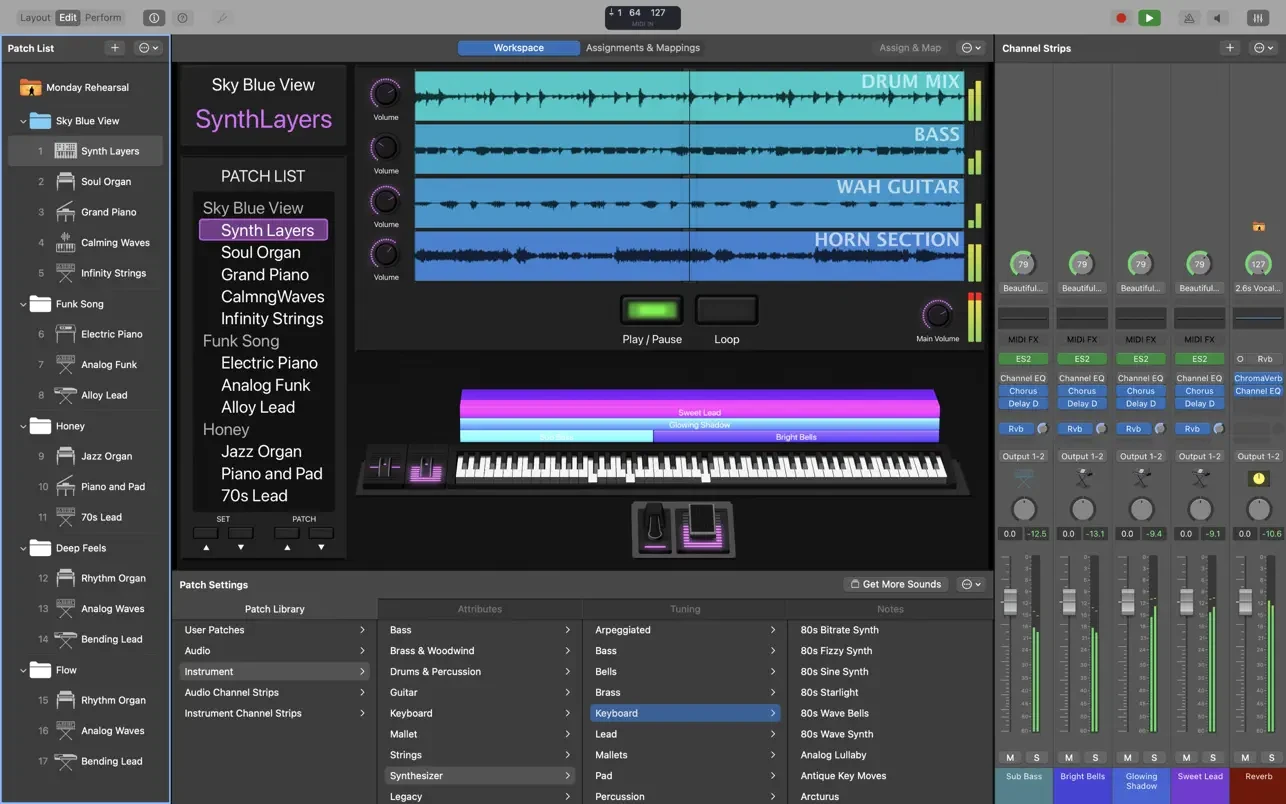
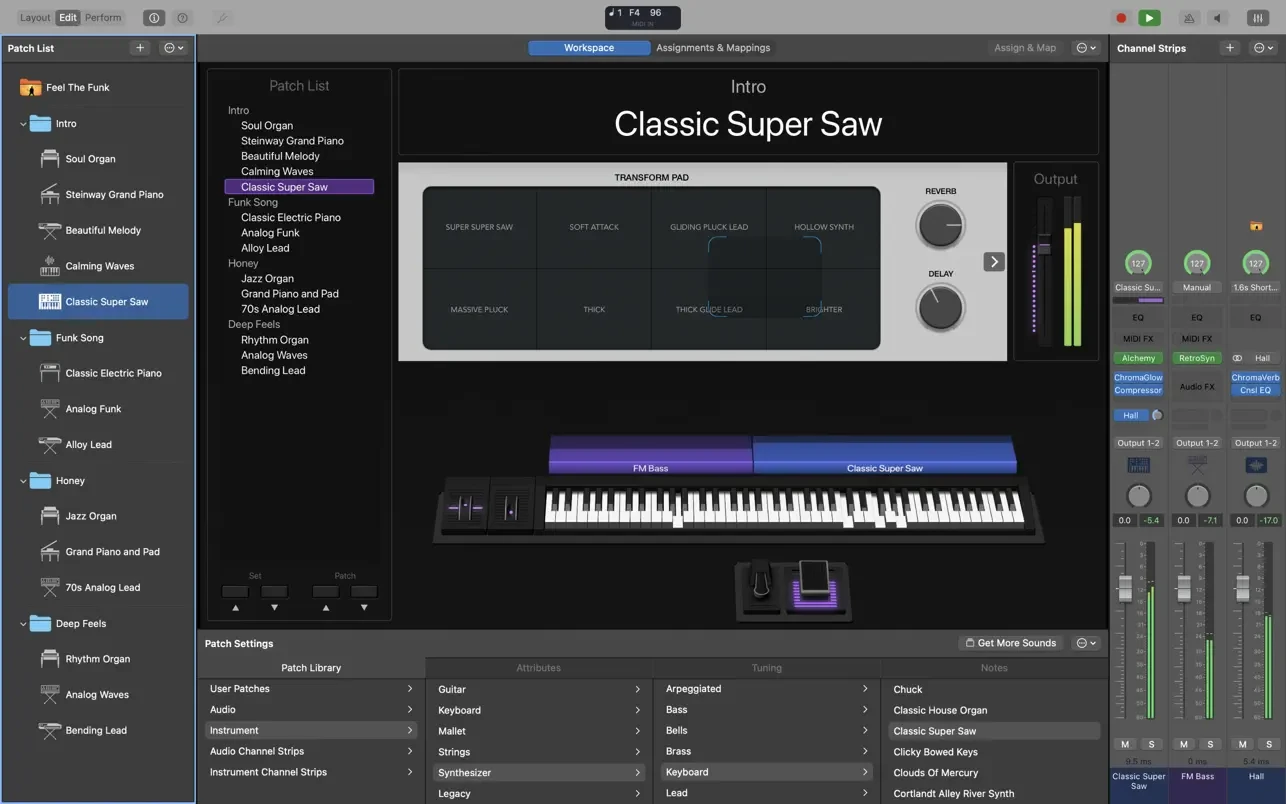
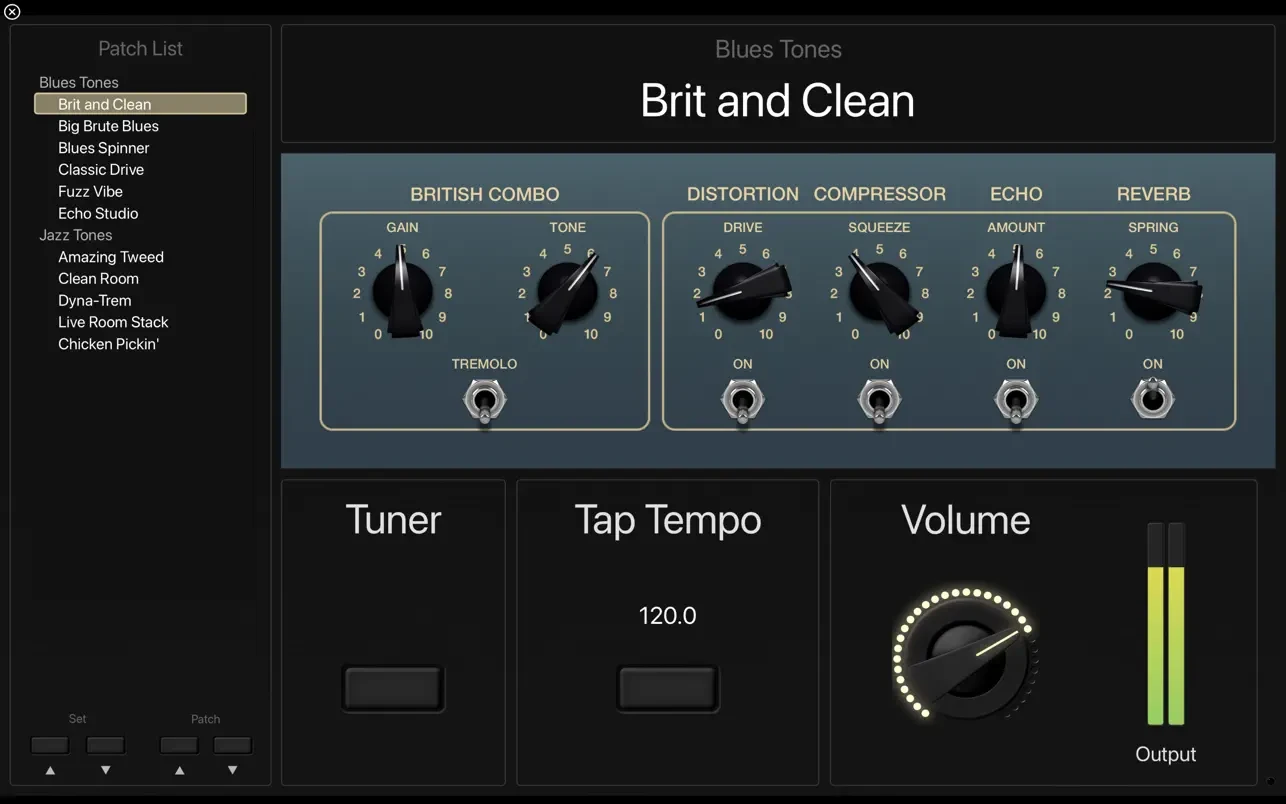
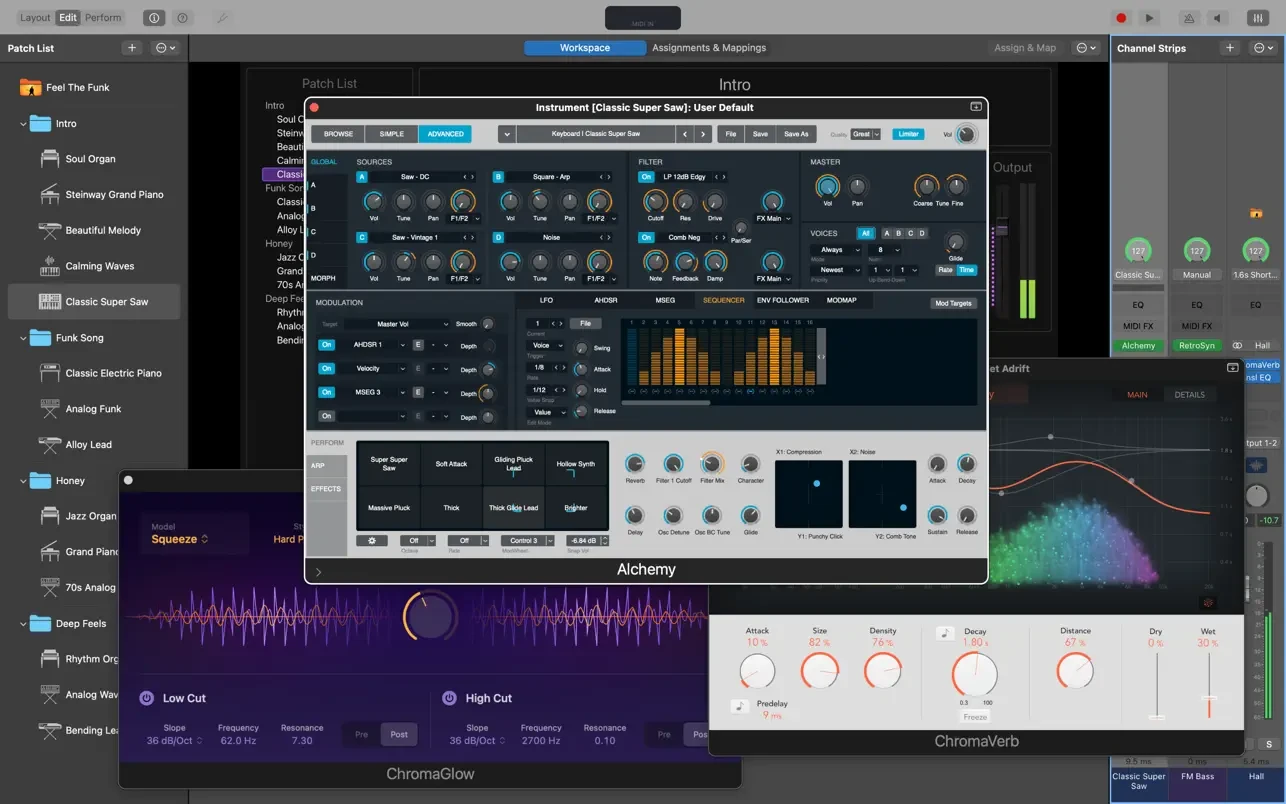
MainStage 3 lets you bring your Mac to the stage for live performances. A full-screen interface optimized for live shows, complete hardware control, and an extensive collection of plugins and sounds that are fully compatible with Logic Pro X make this the ultimate performance tool.
Perfect for Live Performances
• Perform on stage using more than 80 instruments, effects, and MIDI plugins, and work seamlessly with Audio Unit plugins.
• Add your own custom sounds from Logic Pro X and GarageBand — take your entire studio to the stage with you.
• Touch Bar support on MacBook Pro computers provides convenient editing and control over your workspace layout and the performance workflow.
• Combine instruments and live audio within a single patch, for example keyboards and vocals together in one setup.
• Switch between patches without any interruption to sustained notes or fermatas during your performance.
• Build complex keyboard patches using splits and layers, Arpeggiator, and other powerful MIDI plugins.
• Perform with stereo or multichannel backing tracks using the built-in Playback plugin for seamless audio integration.
• The 64-bit architecture takes full advantage of all available system RAM for complex sampled instruments and large sound libraries.
Control Your Hardware
• Connect your favorite hardware devices and use them for performing on stage and controlling your plugins in real time.
• Use USB-compatible MIDI controllers including keyboards, foot pedals, and drum pads for hands-on creative control.
• Instantly configure a wide variety of hardware devices thanks to automatic device recognition and smart mapping.
• Quickly assign controller buttons and faders to on-screen controls for intuitive and efficient operation.
Built for the Stage
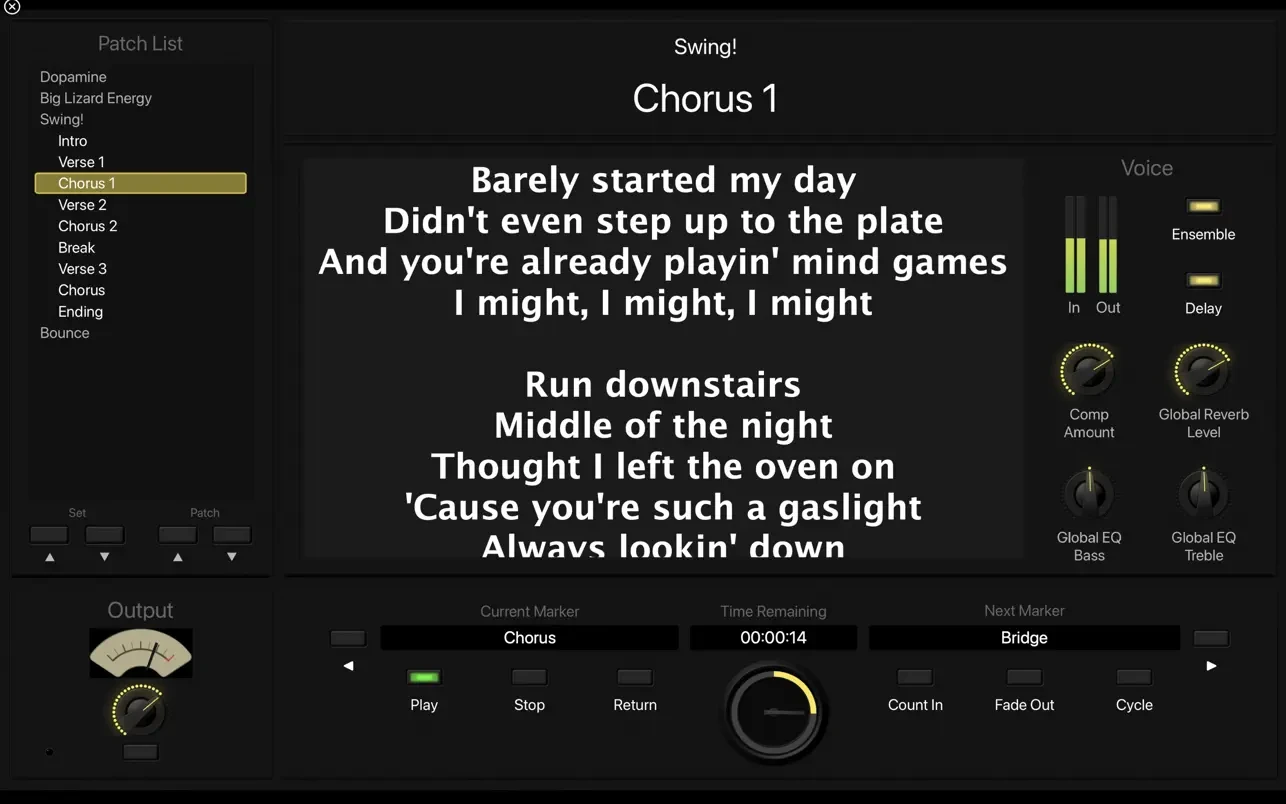
• A customizable full-screen interface displays only what you need to see during your live performance on Mac.
• The Smart Controls feature allows you to tailor on-screen controls individually for each patch to suit your needs.
• Your Mac display remains clearly visible from a distance thanks to high-contrast graphics and the full-screen layout.
Instrument Plugins
• Play classic synthesizers inspired by the iconic sounds of the 70s and 80s using the versatile Retro Synth engine.
• Play realistic models of legendary keyboard instruments with Vintage B3, Vintage Electric Piano, and Vintage Clav.
• Find inspiration with an extensive collection of analog, wavetable, FM, additive, granular, spectral, and physical modeling synthesizers.
• Use a wide variety of sampled instruments or create your own entirely new ones with the EXS24 Sampler tool.
• Turn your hardware synthesizer into a fully sampled instrument using the powerful Auto Sampler plugin on your Mac.
MIDI Plugins
• Create engaging and intricate compositions from simple melodies using nine dedicated MIDI plugins built into the app.
• Instantly transform simple chords into rich, complex harmonies with the expressive Arpeggiator plugin.
• Play a single note and trigger a pre-programmed chord sequence with the Chord Trigger for dynamic performances.
• Perform a part and transpose the notes into a different key on the fly using the Transposer plugin.
Professional Sound Effects
• Perform your compositions in realistic acoustic spaces with the convolution reverb engine Space Designer.
• Use tape delay, multi-tap delay, and stereo delay effects to add depth and dimension to your live sound.
• Create the perfect mix using a comprehensive set of equalizers, dynamic processors, and other mixing tools available in the MainStage 3 app.
For Guitar and Bass Guitar
• Build your own custom amp models for guitar and bass guitar with Amp Designer, choosing from classic and modern amplifiers, cabinet systems, and microphones.
• Create your own custom Pedalboard setup from a diverse collection of effects such as delay, distortion, and modulation.
• Open the full-screen tuner to quickly and accurately tune your instrument before or during a performance.
Sound Library
• Over 1800 instrument patches and sound effect presets ready to use in your live performances right away.
• More than 750 meticulously sampled instruments covering a broad range of musical styles and genres.
• 4600 Apple Loops in contemporary dance and electronic genres for creative backing and inspiration.
Minimum System Requirements
• 64-bit Audio Unit plugins are required for full compatibility with the MainStage 3 Mac environment.
• 6 GB of available disk space for a minimal installation / 57 GB for the complete MainStage 3 download and full Sound Library installation.
Frequently Asked Questions
You May Also Like
Reviews & Comments
No comments yet.