
Description
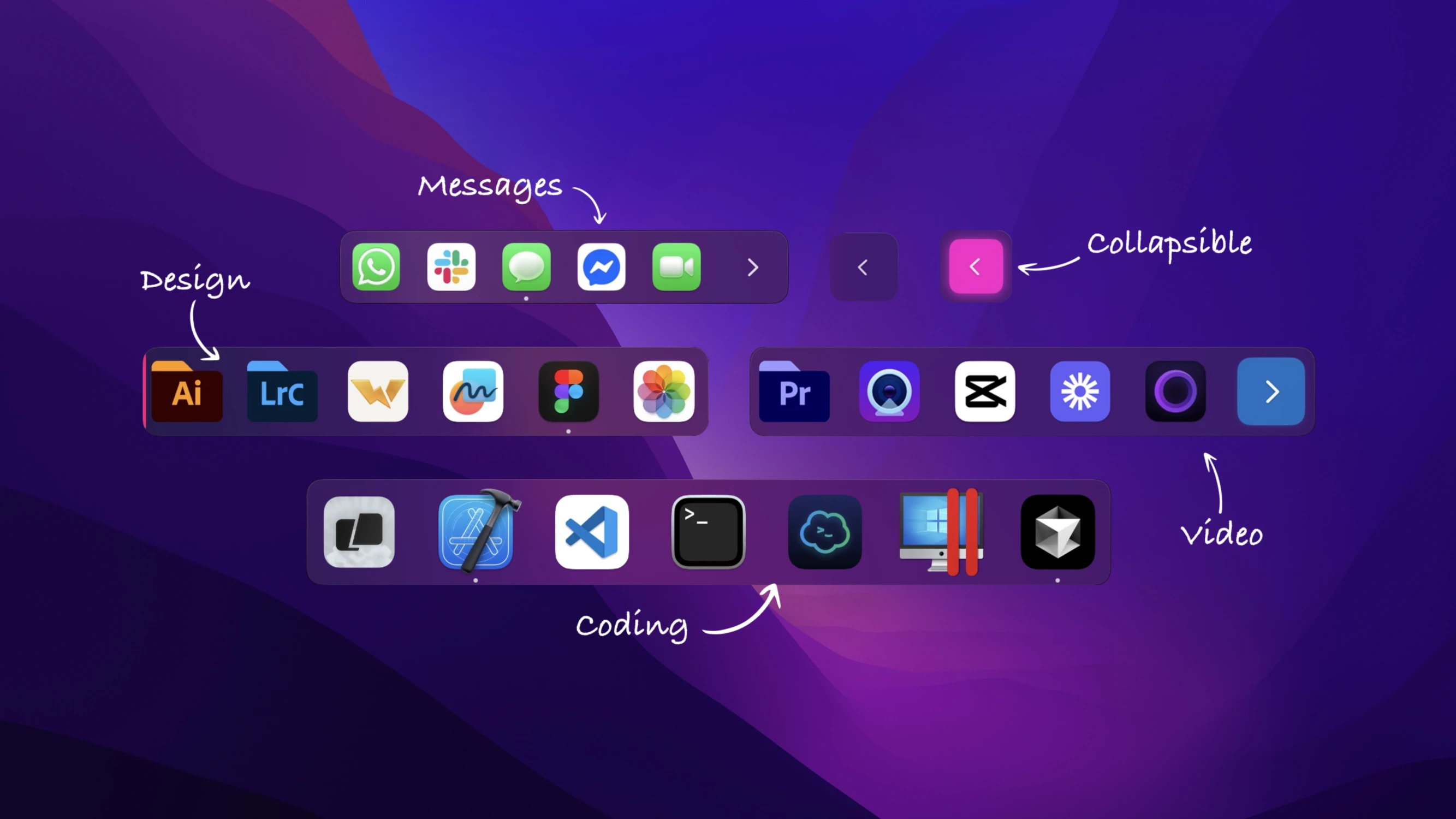
ExtraDock – a simple and lightweight way to create multiple floating docks on your macOS desktop for a more organized workflow.
Features:
-Create an unlimited number of custom docks, each with its own set of applications, folders, layout configuration, and individual behavior settings.
-Freely move docks anywhere on screen or snap them to any edge — top, bottom, left, or right side of your display.
-Automatically hides when an external display is disconnected and seamlessly restores dock positions when the monitor is reconnected.
-Auto-hide docks just like the native macOS dock. Your docks disappear only when you are not actively interacting with them.
-Collapse docks into a single compact button to save valuable screen real estate. Expand them again on mouse hover or with a click.
-Docks intelligently detect full-screen applications and automatically hide themselves on each individual screen independently.
-Color each dock using classic, neon, or transparent color themes for easy visual identification across your workspace.
-Resize any dock using a convenient slider — from tiny compact utility panels all the way up to large desktop-sized docks.
-Label your docks to match specific workflows: "Development," "Design," or anything else that suits your daily needs.
-Drag and drop applications to rearrange their order within any dock. Build a personalized layout that perfectly matches your workflow.
-Add applications and folders by dragging them directly from Finder, or use the convenient "+" button for quick and easy selection.
-See which applications are currently running with subtle, unobtrusive status indicators displayed directly on the app icons.
-Docks neatly and effortlessly snap into place along the edges of your monitor for a clean arrangement.
-Change the orientation of any dock to match your screen layout: set it to display horizontally or vertically as needed.
-Quickly manage dock visibility, access settings, and toggle individual docks on or off directly from the menu bar tray.
-Every single dock maintains its own unique color, size, orientation, and behavioral preferences on your Mac.
-Minimal CPU and memory usage ensures your extradock mac experience stays smooth. Fast animations and precise full-screen mode detection make this extradock app reliable. Get extradock download today and enhance your macOS workspace with ExtraDock.
Frequently Asked Questions
You May Also Like
Reviews & Comments
No comments yet.