Description
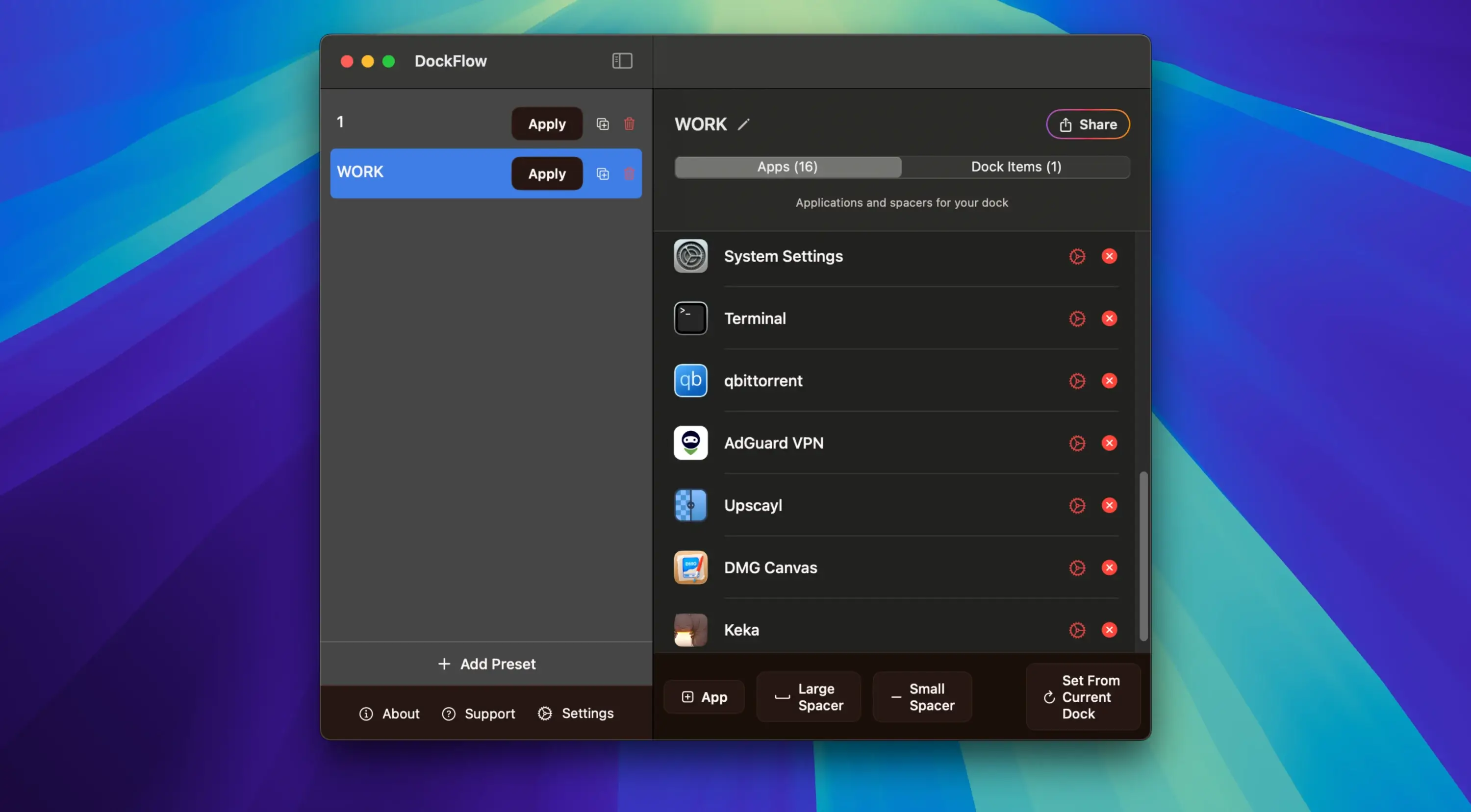
DockFlow is a utility that allows you to create, save, and instantly switch between different configurations (presets) of the Dock panel on your Mac. It is designed to help users who work with different sets of applications for different tasks quickly adapt their workspace to match their current workflow and priorities.
Key Features: -Dock Preset Management: The primary function of the DockFlow app lies in the ability to save multiple Dock layouts. Instead of manually dragging icons around every time you change your working context, a user can switch to the desired set of applications with a single click or a keyboard shortcut.
-Instant Switching: Changing between configurations happens instantly, which minimizes time loss and distracting factors when transitioning from one task to another throughout the workday.
-Visual Grouping: The tool allows you to insert blank spacers (empty slots) for visual grouping of applications within the Dock, making it significantly more organized and visually clean.
-macOS Integration: DockFlow mac integration works with the existing native system Dock panel of macOS rather than replacing it entirely, which ensures stability and does not require any complex permissions or additional setup.
-Automation: The application supports integration through the command-line interface (CLI) and the Apple Shortcuts app for building complete workspace context-switching automation on your Mac.
-Use Cases: The DockFlow download is especially useful for freelancers, developers, designers, and anyone who juggles multiple roles or projects during the day and needs quick access to different toolsets without unnecessary delays.
In summary, DockFlow is a productivity-enhancing tool that helps maintain order and efficiency in your workflow by allowing the Dock panel to seamlessly adapt to the user's current tasks and project requirements on Mac.
Frequently Asked Questions
You May Also Like
Reviews & Comments
No comments yet.