
CloudMounter
Description
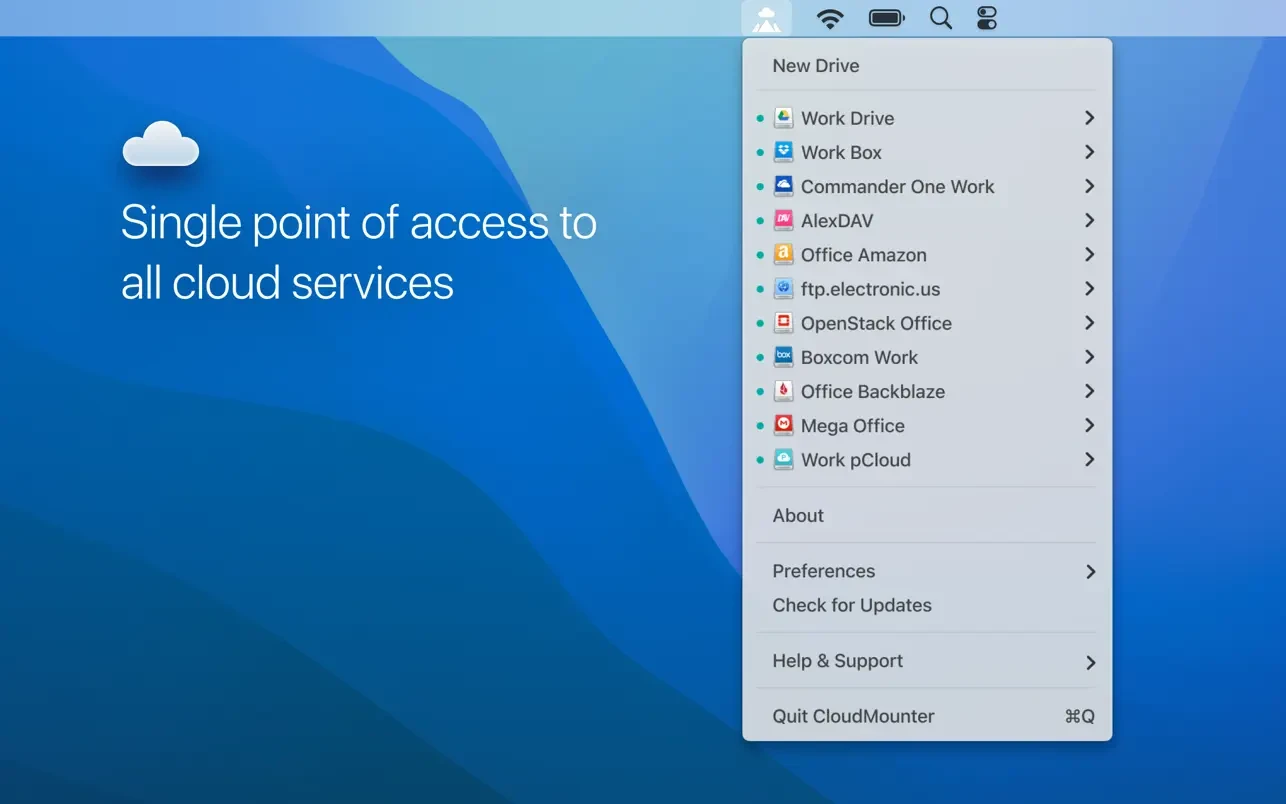
Easily expand the storage space on your Mac desktop or laptop as if it were happening right on your local hard drive. CloudMounter connects your cloud storage accounts, including Google Drive, Dropbox, Amazon S3, OneDrive, and many others directly to Finder on your Mac, allowing you to treat them just like regular local disks. Add encryption for an extra layer of security and finally forget about the persistent problem of running out of storage space on your machine.
Key Features of CloudMounter
Mount All Cloud Storage as Local Disks
The cloudmounter app easily connects to the world's leading cloud services, whose capacity often ranges from just a few gigabytes to completely unlimited plans. The application is perfectly suited for Mac laptops with limited internal storage or older compressed hard drives that have been given a brand new lease on life. Additionally, CloudMounter does not automatically sync files to your local disk, making sure that you always have enough space remaining on your Mac for other important tasks and daily operations.
Built Right Into Finder
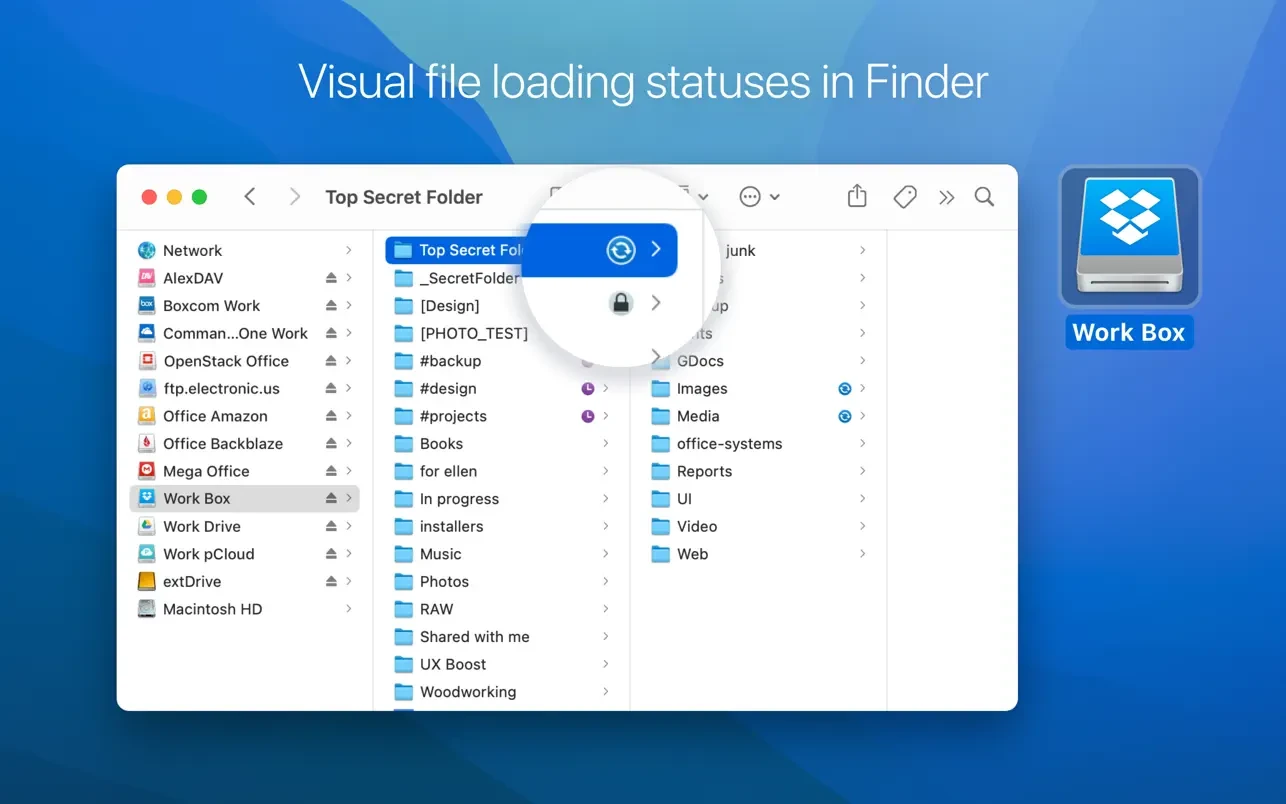
You will no longer need to log in through cumbersome and slow web browsers just to access your stored files. CloudMounter provides a fast and seamless way to reach every connected cloud storage service directly from Finder on your Mac, as though each one were a local disk attached to your machine. Now, by leveraging all of your previously fragmented storage space in one unified location, you can search, drag and drop, and access your files faster and more efficiently than ever before.
Use Multiple Cloud Service Accounts
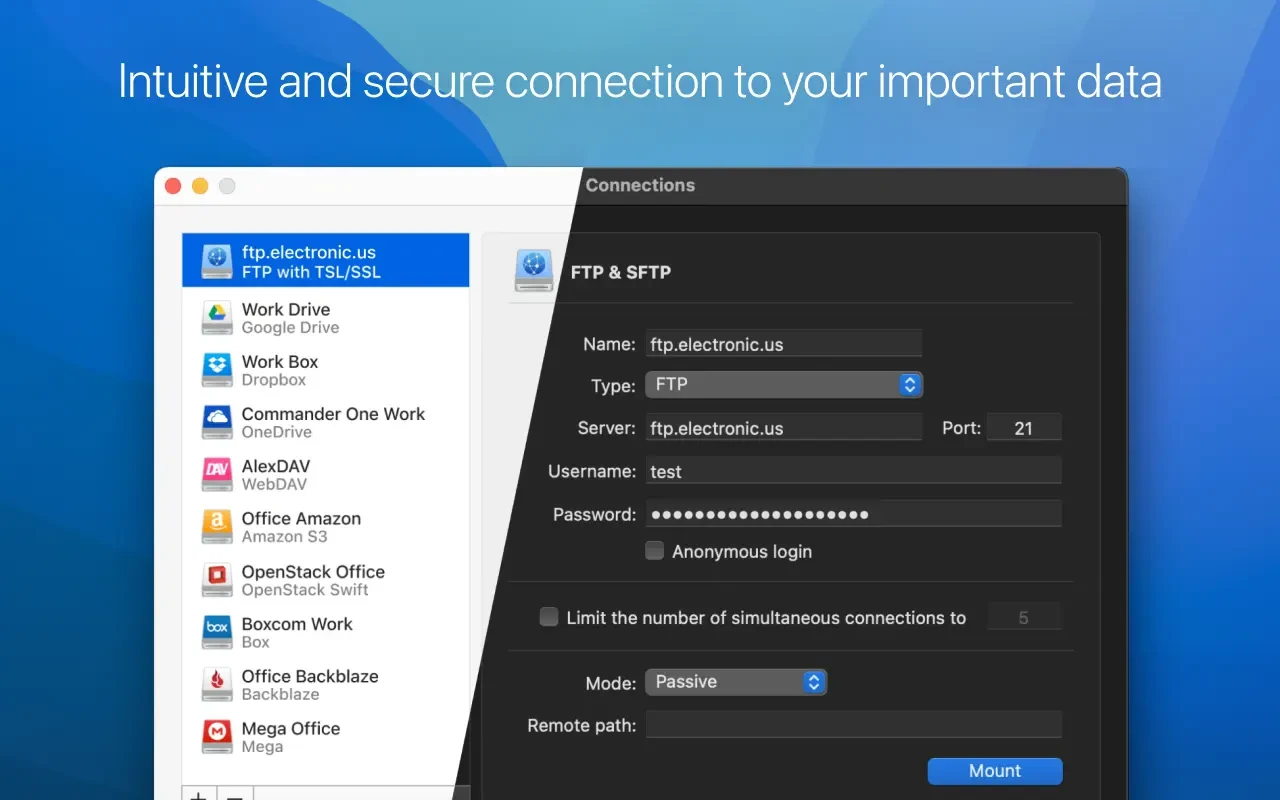
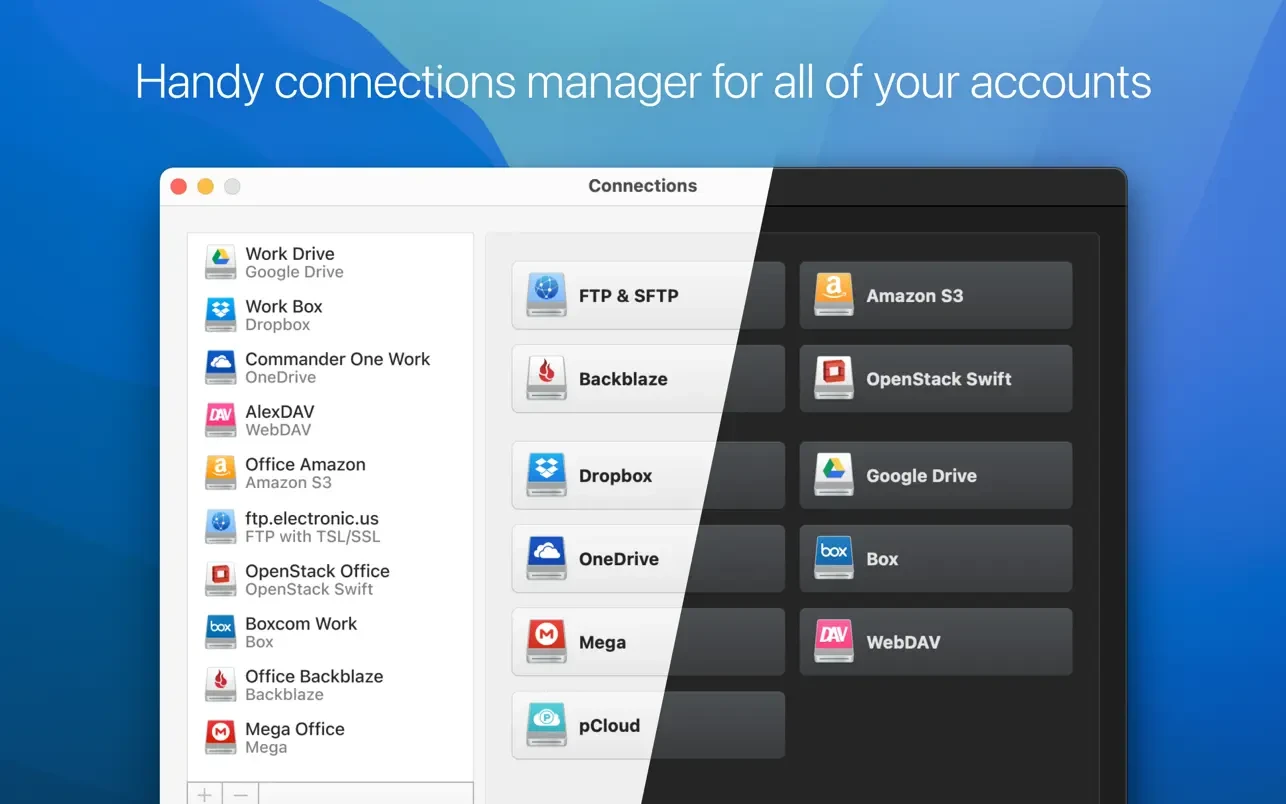
Access your files across all of your cloud storage accounts from within a single, unified application on your Mac. Configure login credentials and authorization settings for each individual cloud storage provider directly from the cloudmounter mac menu. The application currently supports the following services: Dropbox, Google Drive, Microsoft OneDrive, Amazon S3 with customizable server endpoints, FTP/SFTP/FTPS, OpenStack Swift, Box, BackBlaze B2, WebDAV, and more integrations are expected to arrive in future updates.
Secure Cloud Data Encryption
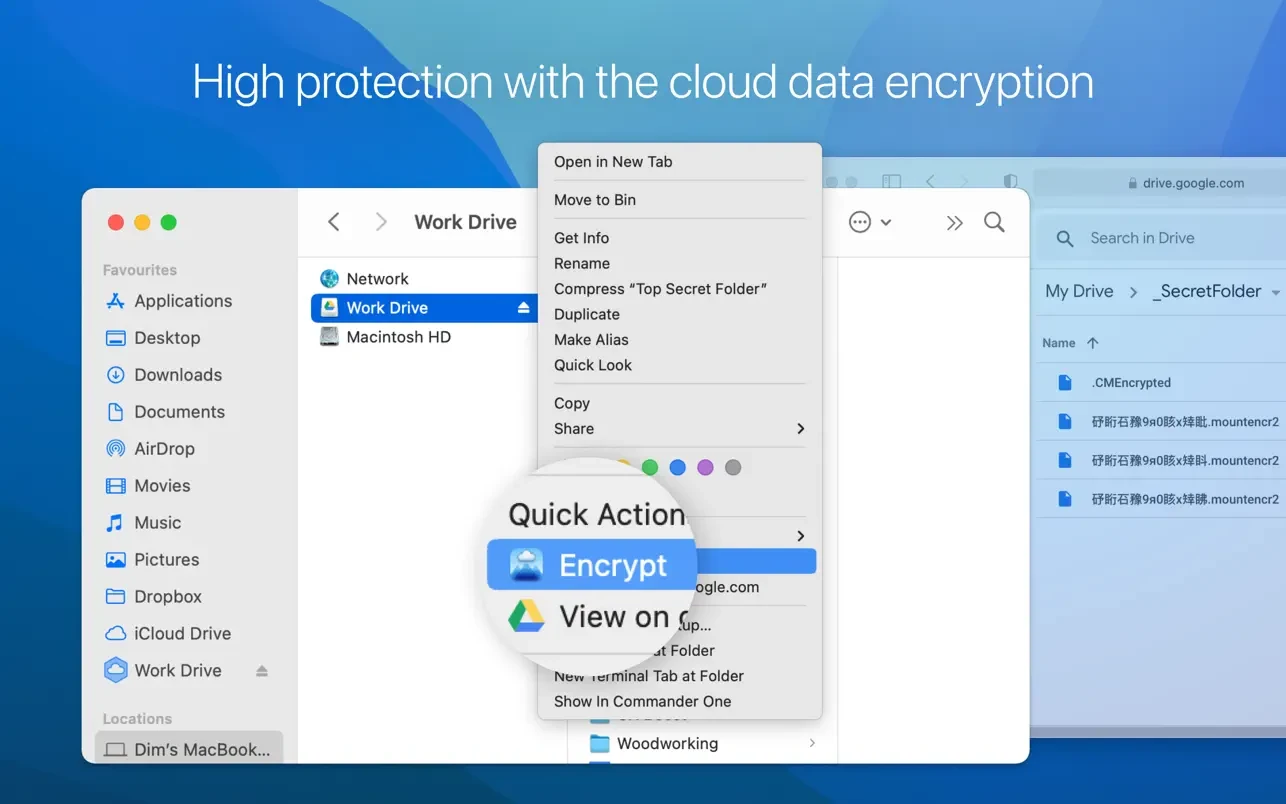
Encrypt your sensitive and confidential data stored in each of your cloud storage accounts using a personal decryption key. CloudMounter utilizes the robust and industry-standard AES-256 encryption protocol, which guarantees that your files receive strong and reliable protection at all times. Rest assured that in the unlikely event of any unauthorized access attempt or a data breach incident, your personal and sensitive information will remain fully protected and completely unreadable.
Helpful Status Updates
A single glance is all it takes to stay informed about everything happening with your files on the Mac. CloudMounter visualizes the progress of your transfers, uploads, downloads, relocations, and updates using thoughtfully designed and highly informative status icons. You can even move files between different cloud platforms directly from Finder and monitor the real-time progress just as you would with any ordinary local file operation on your Mac.
Continuous Improvements
Stay prepared for the future thanks to ongoing updates and exciting new features in CloudMounter. After you complete the cloudmounter download, you gain access to an application that actively tracks popular cloud storage platforms and integrates them directly into its interface, providing expanded storage capabilities and hassle-free access to all your data. Furthermore, the dedicated encryption security team continuously monitors and ensures that the newest security protocols are followed and implemented promptly as they become available.
Frequently Asked Questions
You May Also Like
Reviews & Comments
No comments yet.