
macOS Sequoia


Description
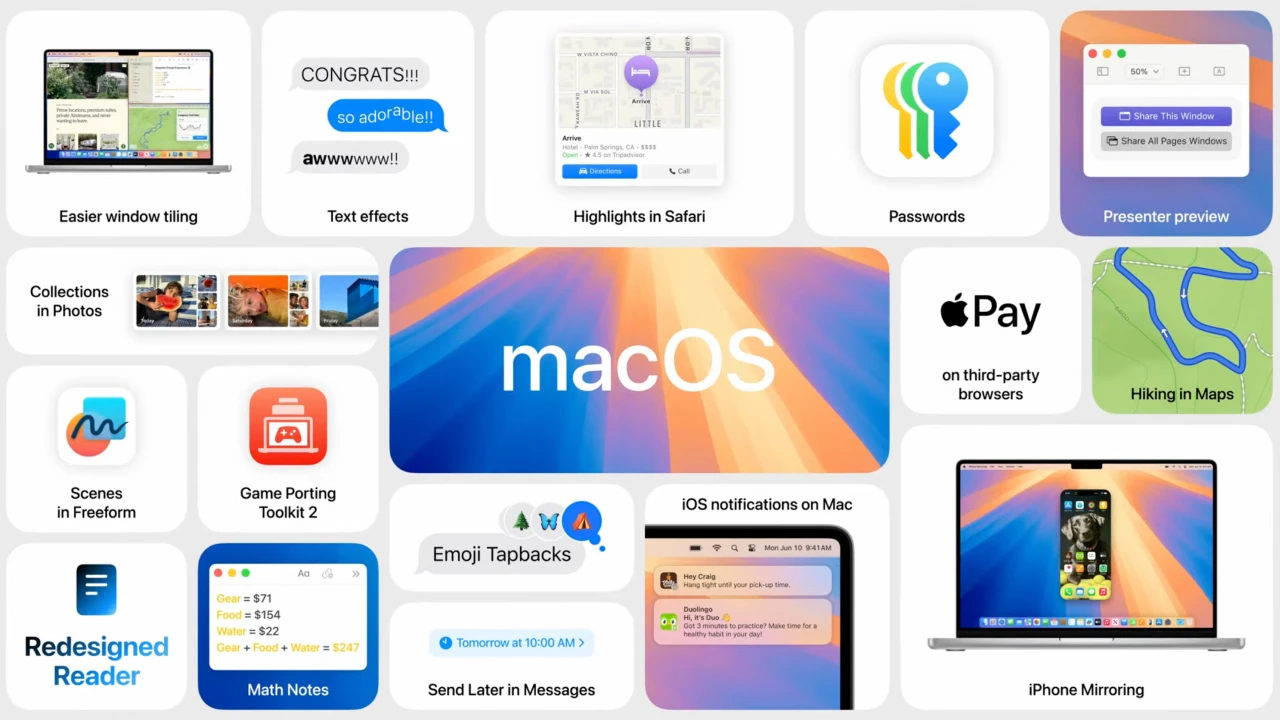
macOS Sequoia is the new operating system designed for Mac computers, announced at the WWDC 2024 conference. Before you download macOS sequoia installer, it is worth exploring the key features and improvements this update brings to your Mac.
Key features of macOS Sequoia:
Apple Intelligence Support. This is a comprehensive suite of artificial intelligence capabilities that provides powerful tools for summarizing text within messages and various other applications, as well as automatically composing replies to emails. These AI-driven features are deeply integrated into the Mac experience, helping users handle everyday communication tasks more efficiently and with greater ease across the entire system.
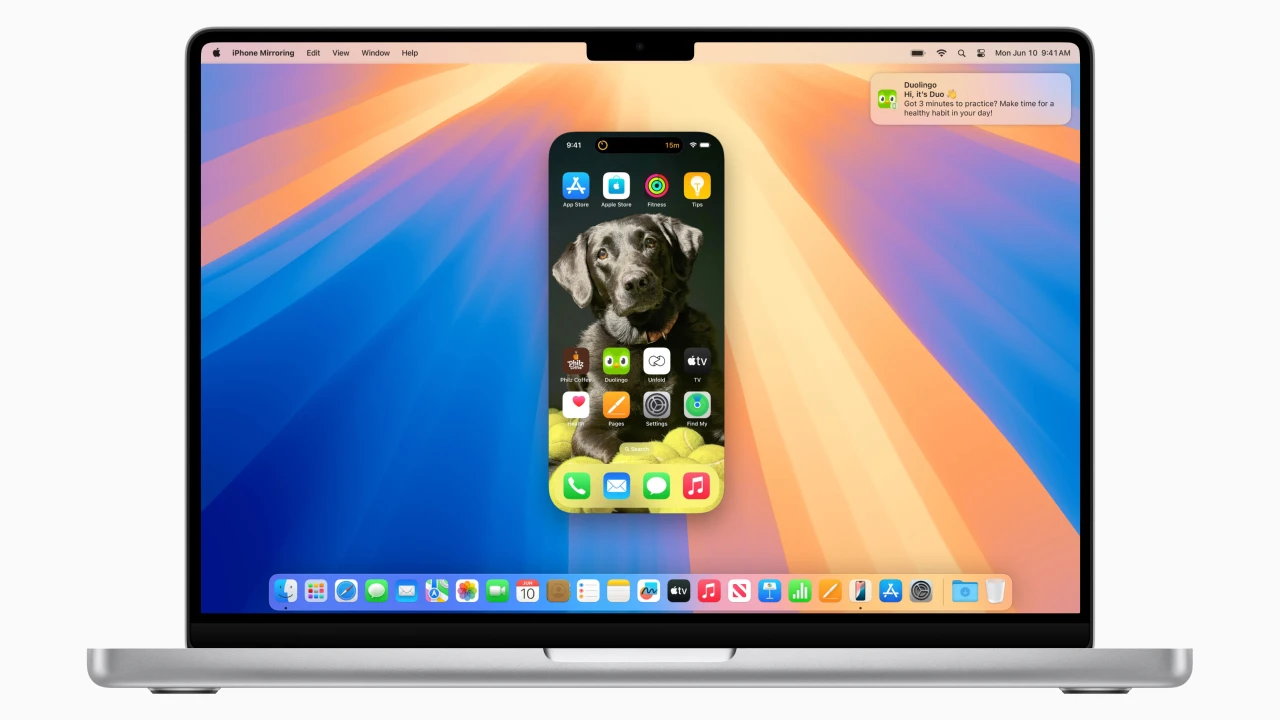
iPhone Mirroring on Mac. This feature allows you to access your smartphone directly from your Mac computer, view and respond to incoming notifications, and seamlessly drag and drop content between both devices. During this process, the iPhone remains locked and will even enter sleep mode to conserve battery charge, ensuring your phone stays secure and energy-efficient while you interact with it from your desktop.
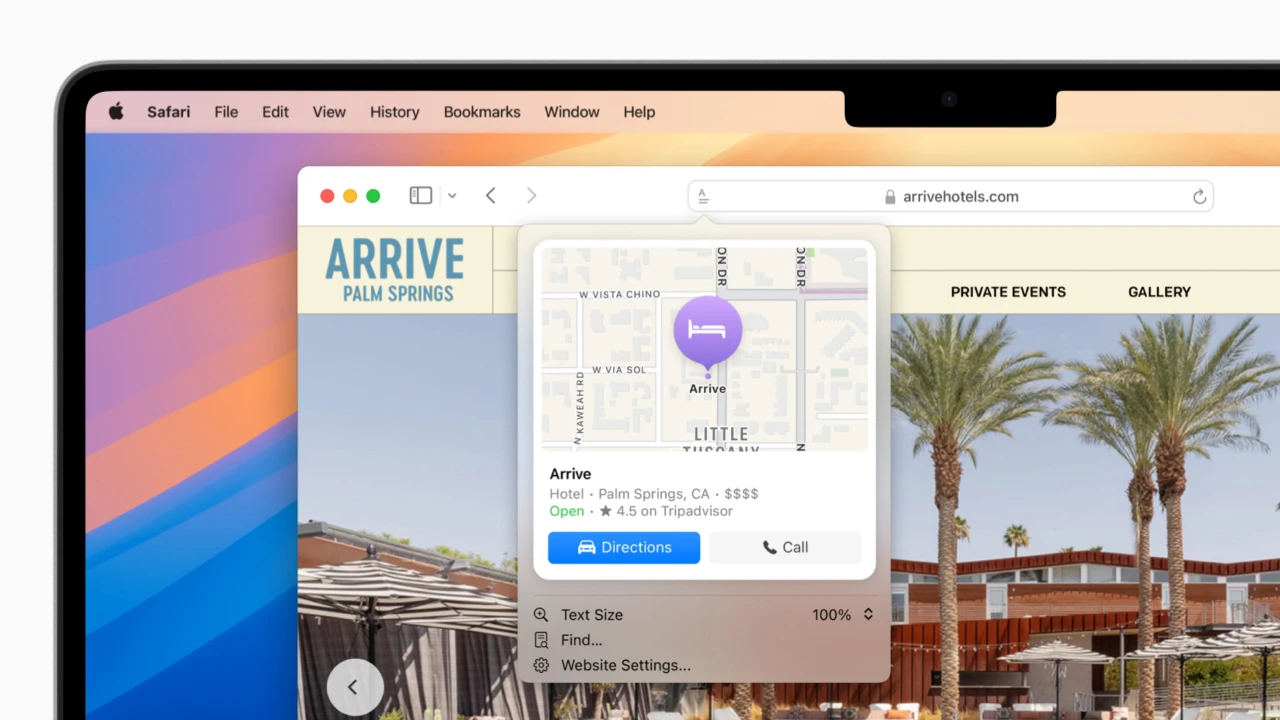
Updated Safari Browser. Safari has received a brand-new Highlights feature powered by machine learning technology that intelligently identifies and surfaces key information on web pages. Additionally, the Reader mode has been significantly enhanced with the addition of summaries, tables of contents, and improved video playback, making browsing more convenient and productive on your Mac. Checking macos sequoia compatibility with your Mac model before updating is recommended.
Passwords App. This application has been renamed from the former Keychain and is now capable of storing a much wider range of sensitive data types, including Wi-Fi passwords, passkeys, verification codes, and shared passwords for various services. The new standalone Passwords app offers a more intuitive and organized interface for managing all your credentials securely in one centralized place on your Mac.
Automatic Window Tiling on the Desktop. This built-in functionality allows users to automatically arrange and snap application windows into organized layouts on the desktop. This native capability eliminates the need for third-party utilities that Mac users previously relied on to accomplish these window management tasks. After completing your macos sequoia download, you can immediately start enjoying this convenient tiling feature on your Mac.
Frequently Asked Questions
You May Also Like
Reviews & Comments
No comments yet.