Neural DSP Mantra
Description
Mantra — Everything you need. Nothing you don't.
• Studio-quality vocals without unnecessary complexity.
No more stacking a dozen plugins on top of each other just to get a polished sound on your Mac.
• Perfect results without the chaos.
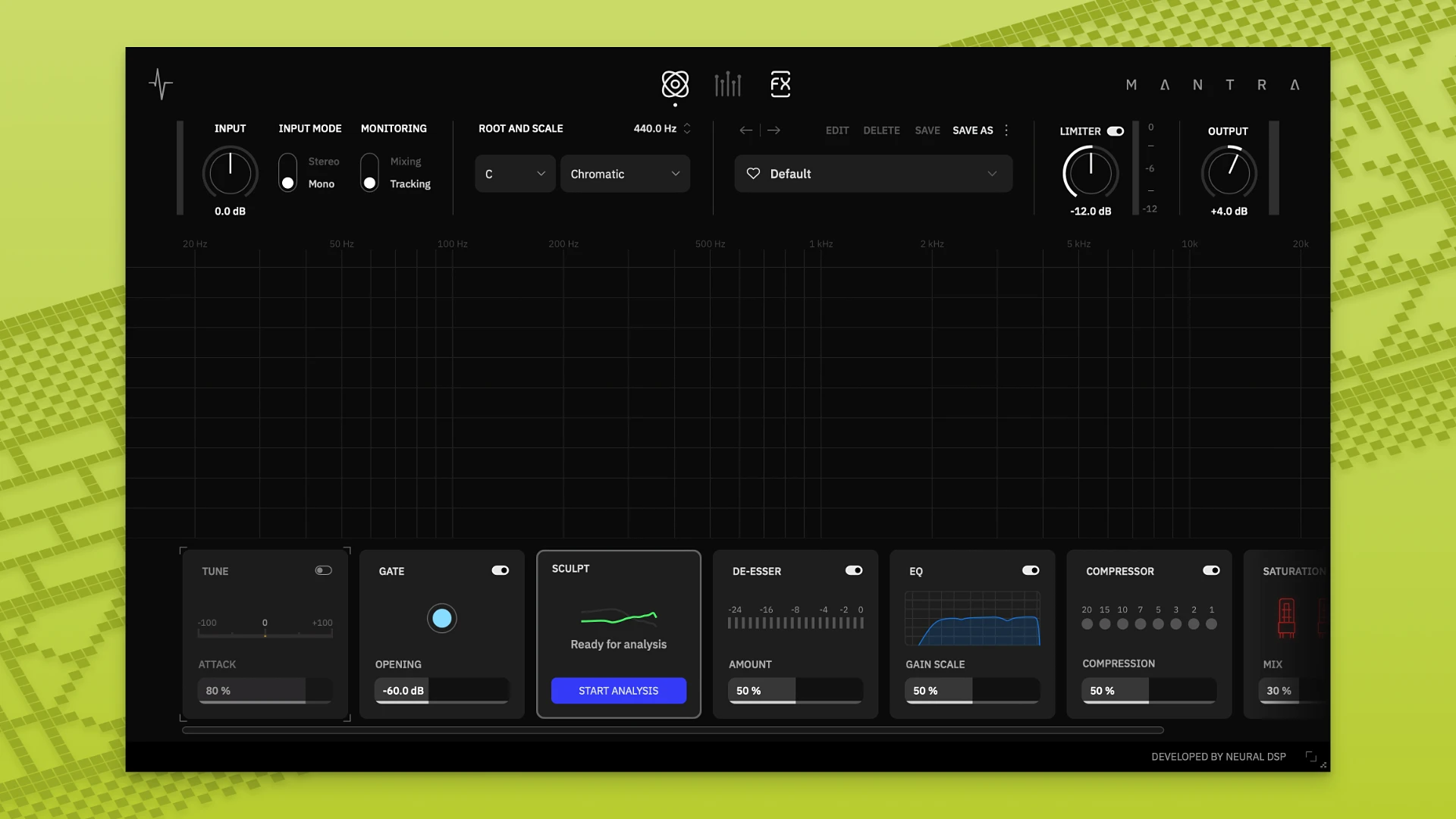
Pitch correction, noise reduction, de-esser, compressors, saturation, harmonies, and effects — all brought together in one single place. The neural dsp mantra plugin streamlines your entire vocal chain effortlessly.
• Workflow comes first.
Each module is controlled by a single knob, while all the deeper settings are just one click away. No digging through menus or buried subpages — only fast and precise results every time you work on your Mac session.
• Analog warmth + digital precision.
Built on Neural DSP's deep expertise in modeling legendary analog hardware. Neural dsp mantra delivers the warmth and musicality of classic vintage gear combined with the accuracy and reliability of modern digital technology.
• Sculpt — your fastest path to the perfect vocal tone.
Sculpt automatically enhances vocal clarity and presence in real time, intelligently adapting to your unique timbre and microphone characteristics. No guesswork involved — just instant professional-grade sound right out of the box.
• Two modes: recording and mixing.
Record vocals with full processing applied and near-zero latency on your Mac. Then switch seamlessly into mixing mode for maximum fidelity and final polishing of every detail. Neural dsp mantra mac compatibility ensures smooth performance throughout.
• Surprisingly versatile.
Neural dsp mantra download gives you a tool that sounds exceptional not only on vocals — try it confidently on synthesizers, drums, guitars, and virtually any other instrument in your mix.
Frequently Asked Questions
You May Also Like
Reviews & Comments
No comments yet.